This article describes the general idea and parts of Kubernetes as a technology.
Kubernetes is open-source automation platform for managing containerised workloads and services, designed for automating, deploying, scaling, operating the app containers.
Is it possible to use Kubernetes without containers like Docker? – No, containers are needed as essential entity for the infrastructure.
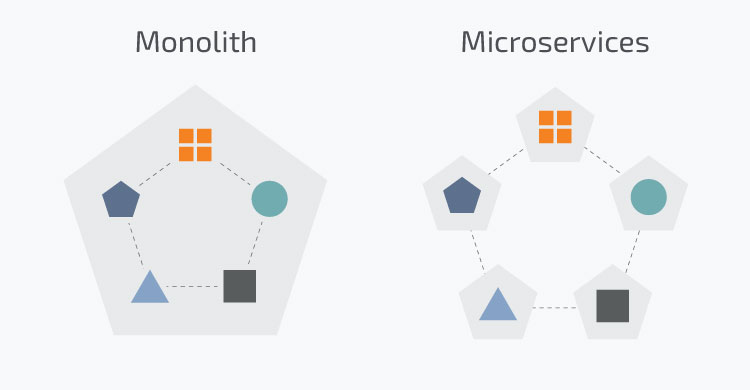
When companies starting to use Kubernetes? – The common scenario during migration from monolith to microservices architecture. Some monoliths can be transformed into hundreds microservices and then need an easy way to work with an infrastructure. The new projects also can start to use Kubernetes if has potential growth for large scalability.
The Kubernetes is for small/middle/large projects? – I would say it’s for large projects only. There should be used 20-30+ containers with ability to scale for hundreds and thousands.
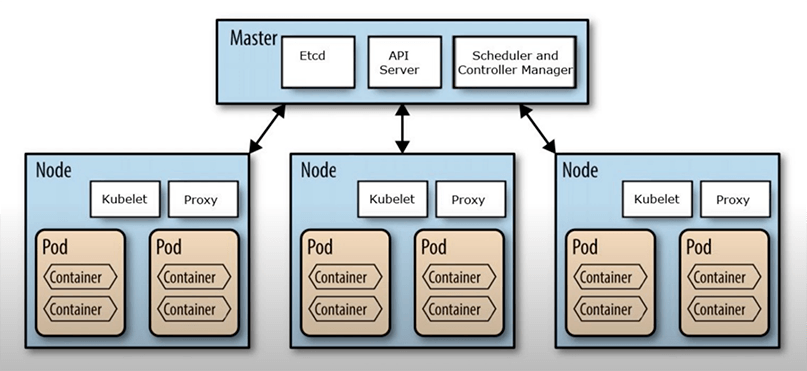
What is the parts of Kubernetes? – The main entities of Kubernetes are the following:
- Node – a separate physical or virtual machine where containers runs with applications, there are 2 types of nodes:
- Master node – contains configuration like how many nodes is needed, how many pods to deploy, etc.
- Worker node – pods deploys here. If a worker node goes down, Kubernetes starts new pods on functioning worker nodes.
- Pod – just a bunch of containers. Yes, a pod can have 1 or more containers.
- Services – abstraction which describe a set of Pods and configuration access to them (ClusterIP, NodePort, LoadBalancer, ExternalName, etc).
- Labels – the name is self explained, needed for easy way determine one or another entity, this is key/value pairs that are attached to objects, such as pods. Examples: app=webapp, version=1.0.0, role=frontend.
- Selectors allows to select group of services with pods. The next example show selector where pod have role=frontend and app=webapp.
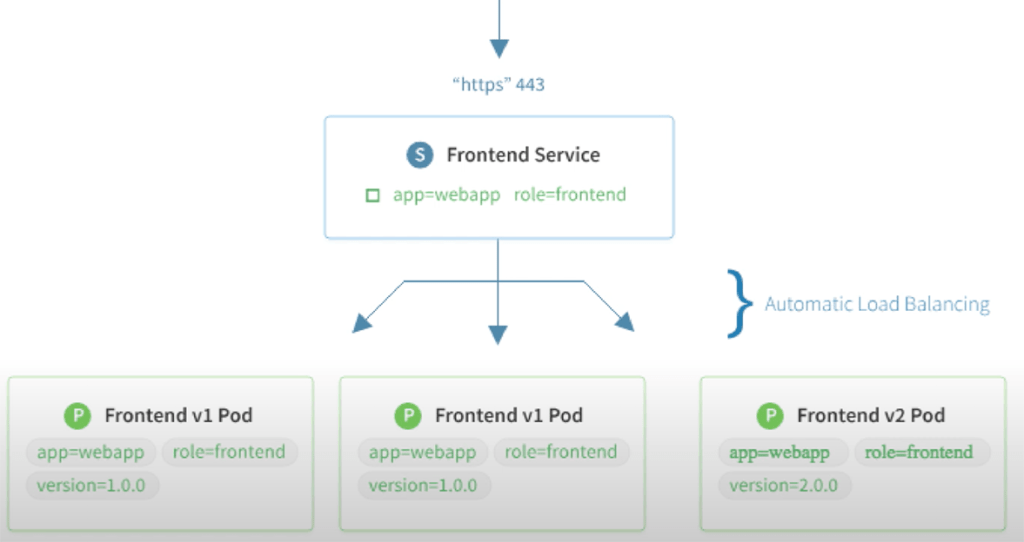
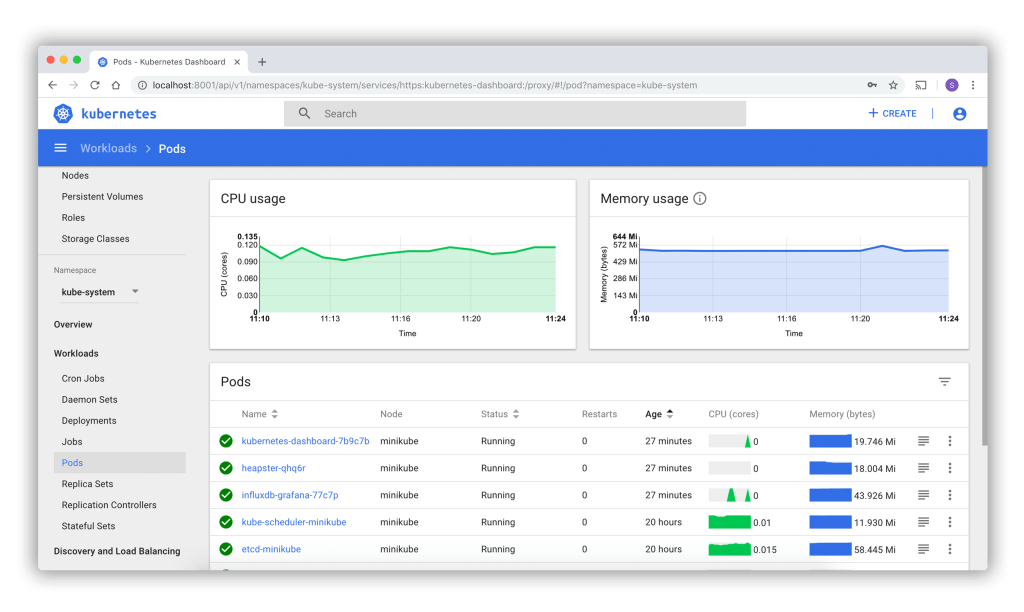
Kubernetes designed to use Terminal (cmd) but for better visibility it’s possible to use Dashboard, but not only to view, but also for configuration and scalability in a few clicks. For example can scale frontend from 3 to 5, 10 or 1000 pods which are working under load balancer. The best practice is to have stateless services, like API endpoints or frontends and try to avoid to store databases or any functionality where an app directly use file system.
The topic is huge, but I hope you got the first impression what is Kubernetes and why it’s needed.

 Ivan's Blog