In the new release, Sitecore introduced a brand-new feature – Content Extraction that can help extract data from various input sources, including files, URLs, or plain text. The latest package is version 1.3.23.
In my demo I’ll have 2 parts: preparation and execution.
Preparation
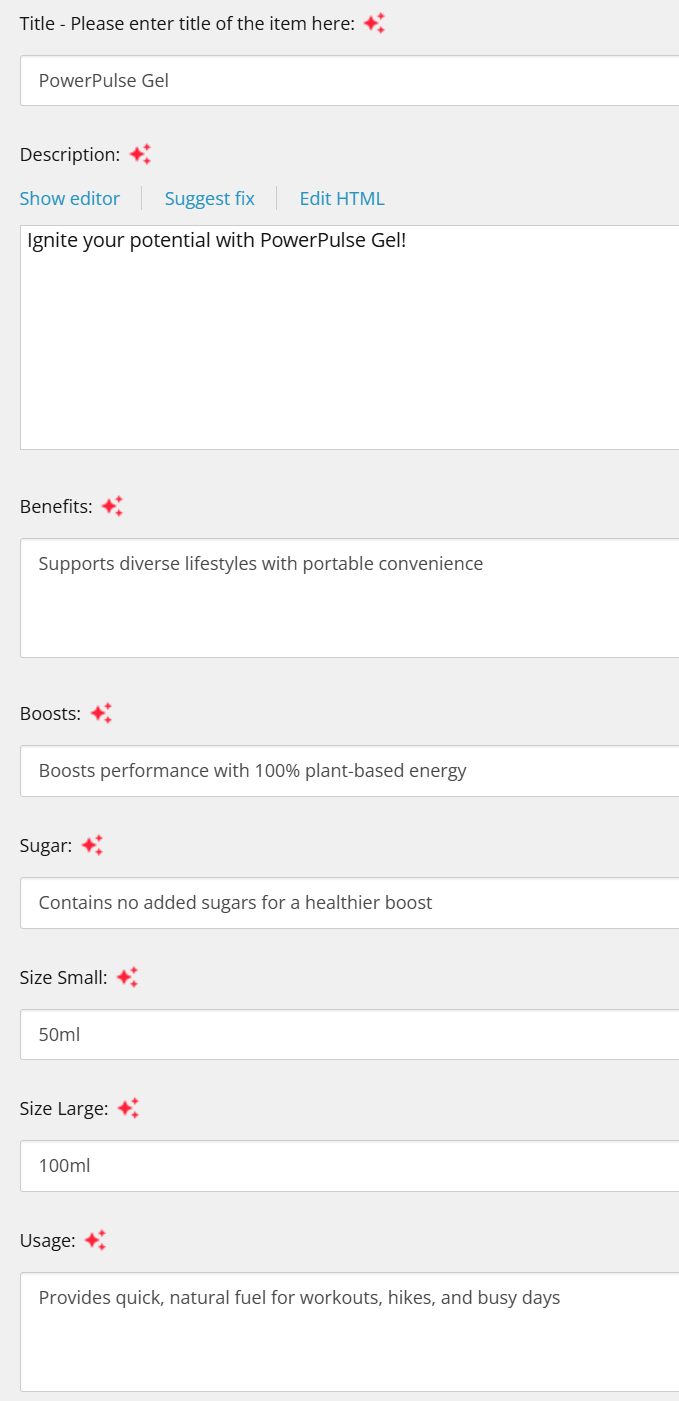
Let’s say we have a store of Powerful bars/gels, there can be lots of different products with different flavors, usage, package sizes, and so on. Hence for this kind of items (products) a template is needed:

Then we need a document, as for now it’s supported the next file formats: PDF, TXT, JPG, JPEG, PNG.
As an example, please refer to the following screenshot; in my case, it’s a PDF document. In real life, you might have a multipage document, but just be aware that the limit is 3MB and the maximum number of pages should be up to 30.
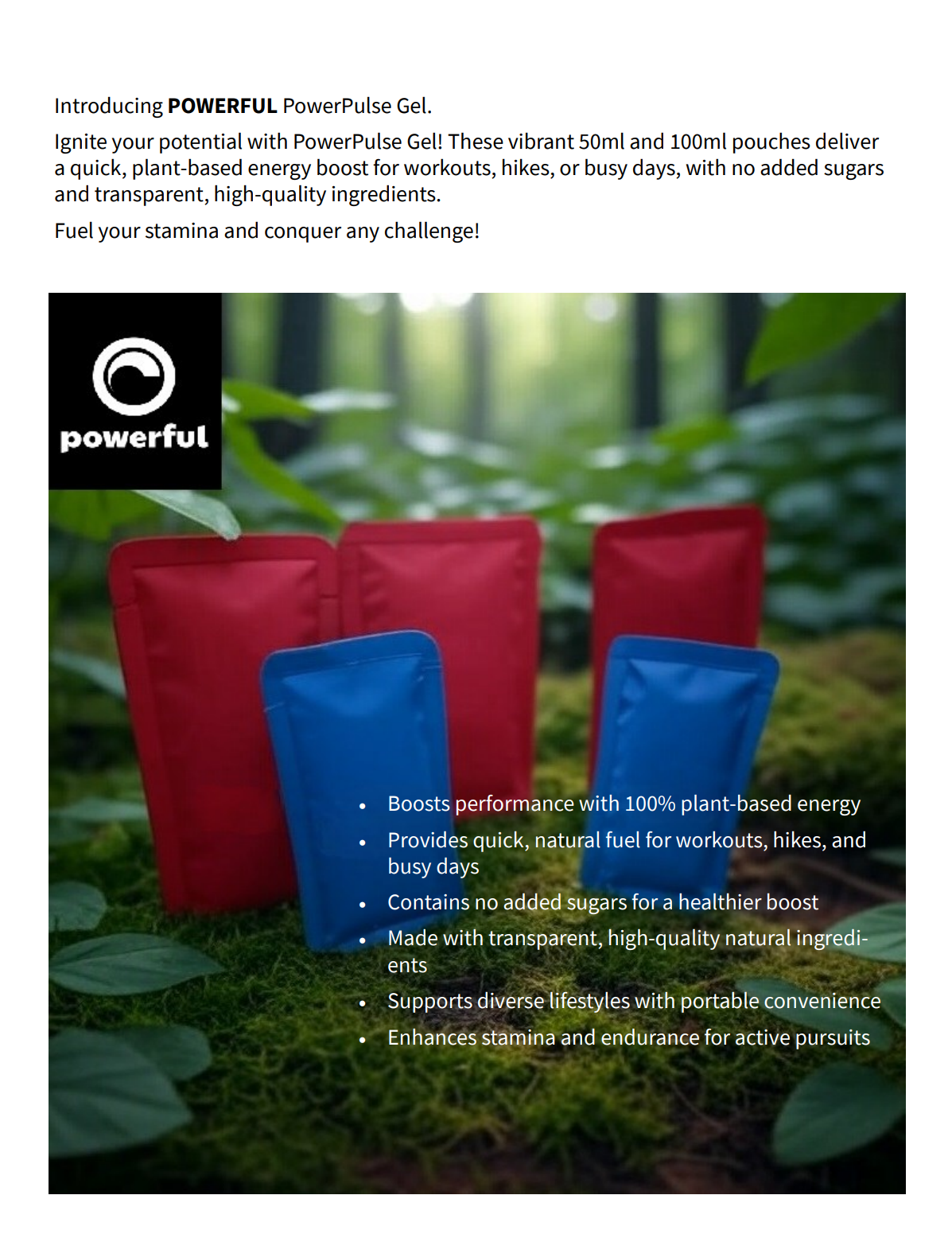
Note 1: If the PDF contains an embedded image with text, AI might not extract it accurately. If you can highlight and copy the text in the PDF, extraction should work as expected.
Note 2: If you generated your credentials in the Portal some time ago, they might not have the needed scopes for the Content Extraction functionality. Hence, you should navigate to the Stream app (https://stream-use.sitecorecloud.io/admin/credentials/xp_xm) and generate new credentials, and then a new JWT token will have all the needed scopes.
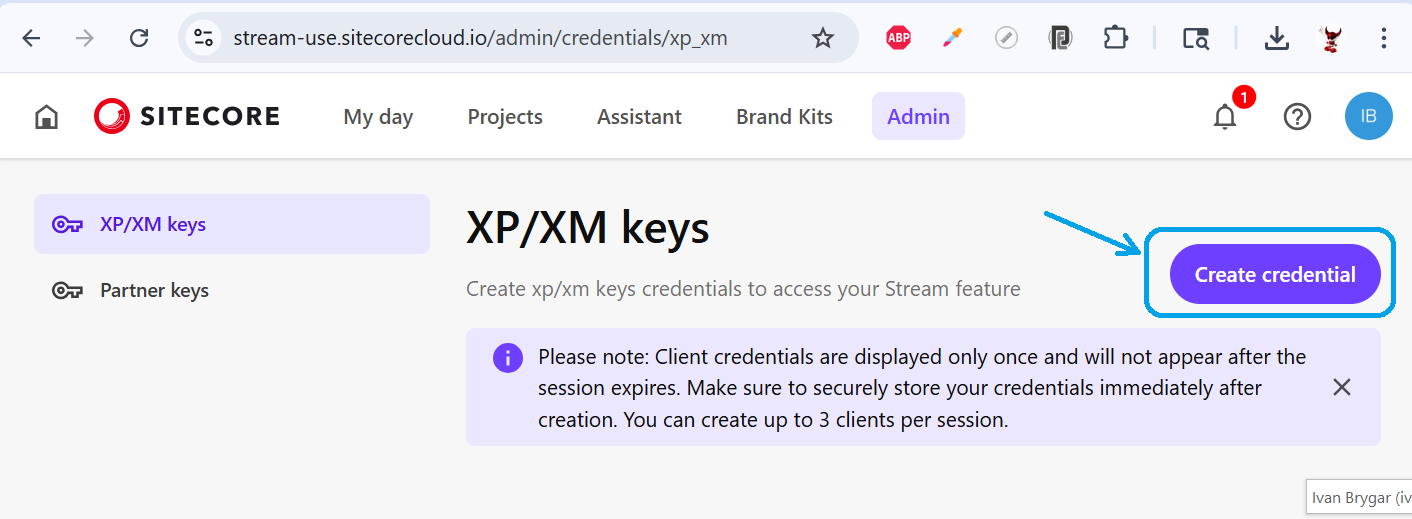
As all the prerequisites are complete, we can move to the next part.
Content Extration
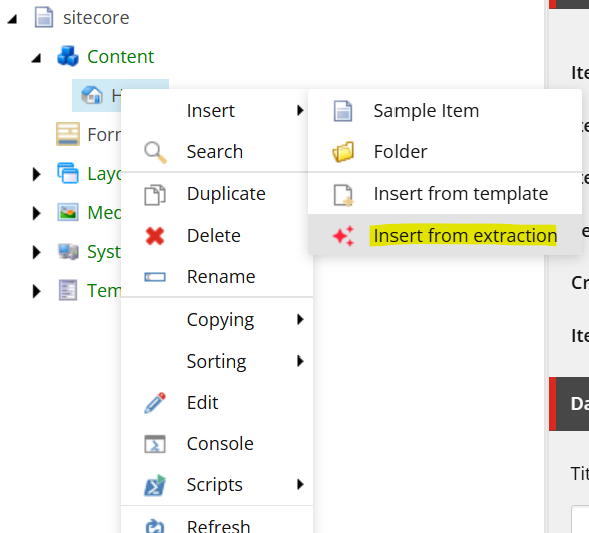
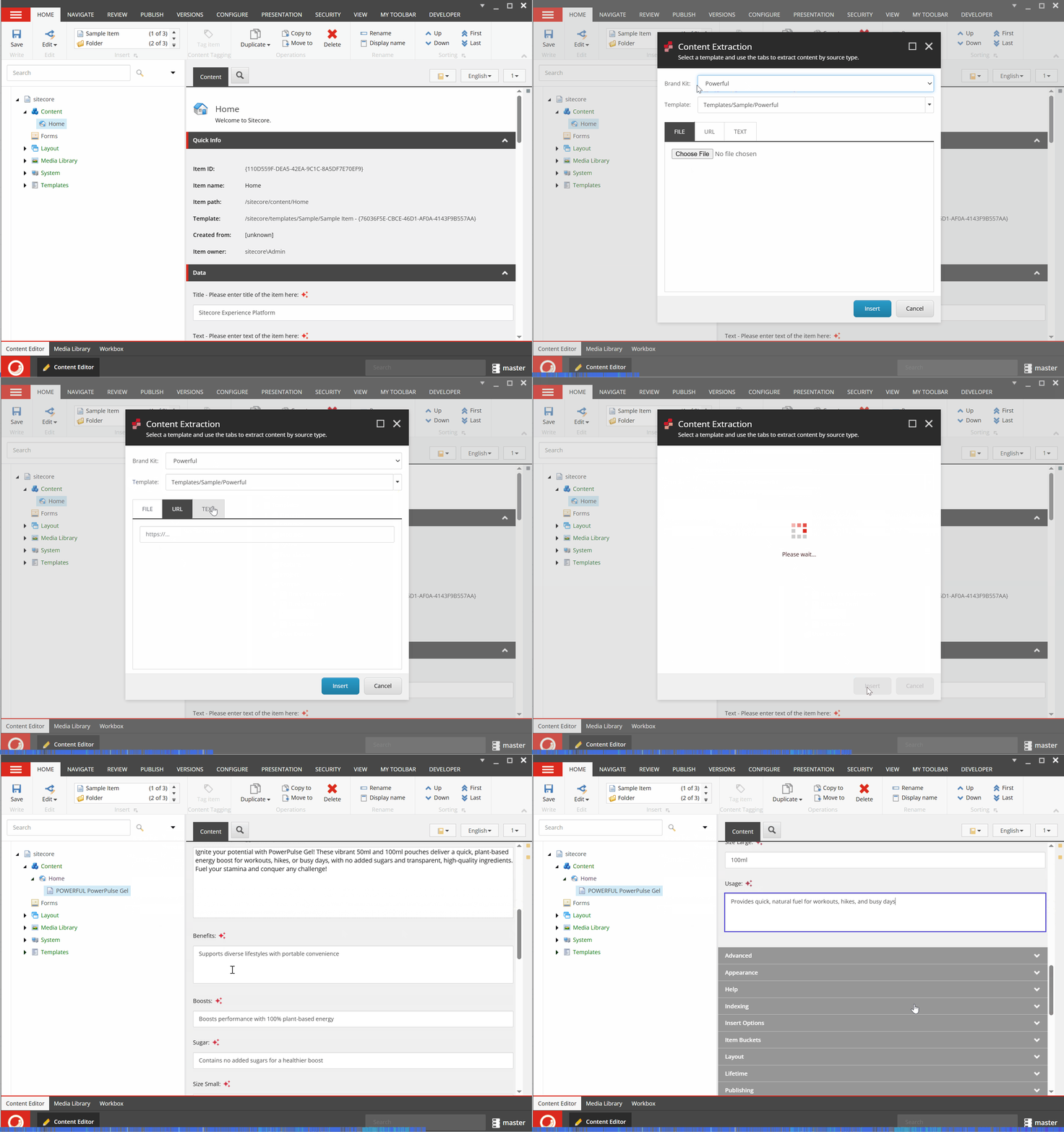
To extract data into the item, under the Content item you should choose a parent item and click the Insert -> Insert from extraction:
Then a new dialog popup, where you can select a Brand Kit (premium feature), template and then choose a source as a File, Url or Text. In this case I’ve added a power pulse gel.pdf file.
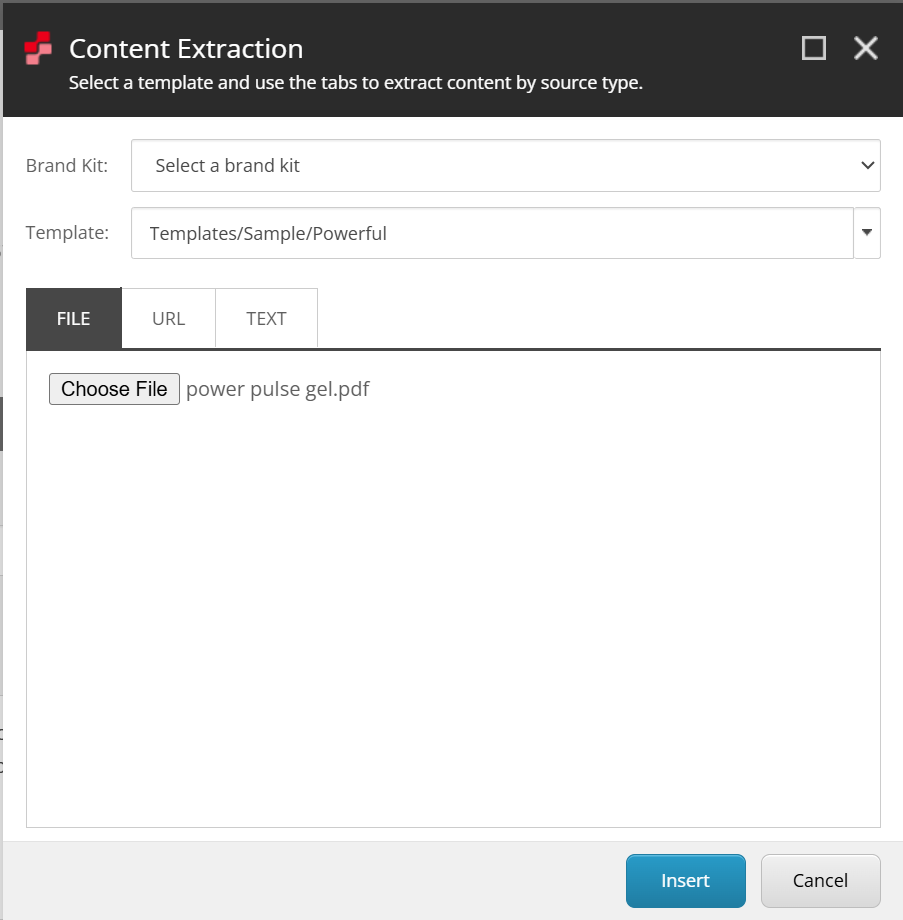
Then just click the Insert button and after a while a brand new item will be created under the selected parent with extracted data from the document:
This scenario shows how it can be automated a routine work. Then you can continue refining the new item in the Content Editor manually or AI-assisted content generation.
Official documentation: https://doc.sitecore.com/xp/en/users/latest/sitecore-experience-platform/ai-assisted-content-extraction.html


One thought on “Sitecore Stream for PDXP – Content Extraction”