Sitecore has released the new version of Stream for PDXP v.1.7.57.
The release includes:
- Support 10.5: UI alignments with 10.5.
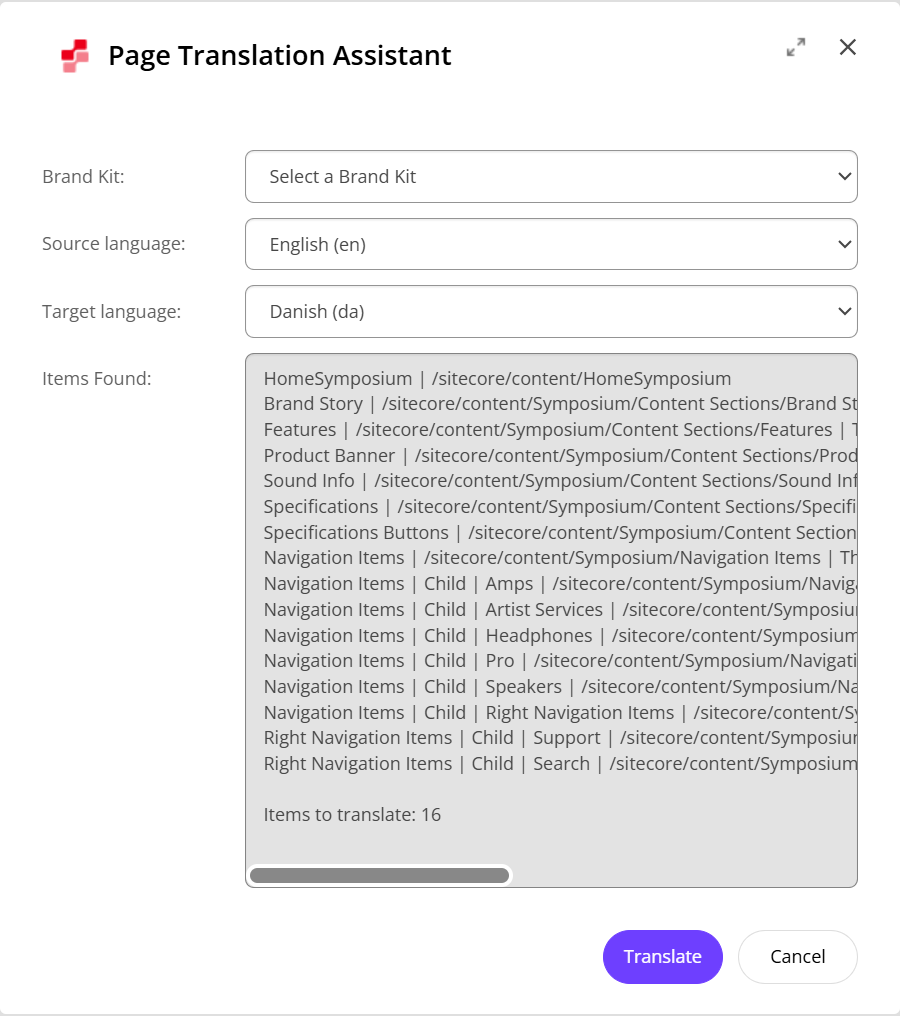
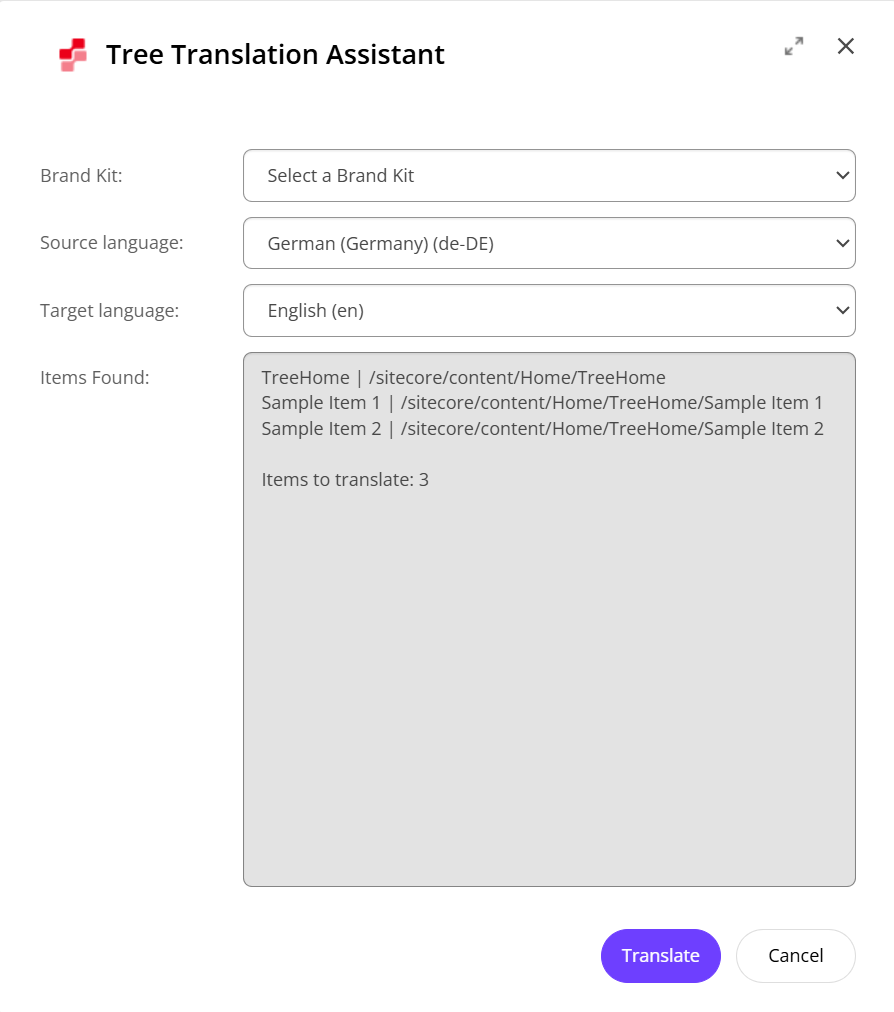
- Item/Page/Tree Translation: Added the ability to select source and target languages in the dialog.
- Content Assistant: UI Improvements, Original and Generated content preview.
- Bug fixes: Addressed various minor issues to enhance overall stability and performance.
Item/Page/Tree Translation
All three translation dialogs (Item, Page, and Tree Translation) now include Source language and Target language dropdowns directly inside the dialog. Authors can translate in any direction (for example, English to French or French to English) simply by picking the language pair in the dialog – no need to switch the Content Editor or Experience Editor language beforehand.
Key highlights of this change:
- No more fixed source language or restarts: Previously, the source language was tied to the
shellsite’s process-wide language or current editor context. Now, you can pick any source and target pair on the fly. - Smart per-user defaults:
- Source defaults to the author’s Default Content Language (User Manager → Edit User → Language Settings), falling back to the current editor language.
- Target defaults to the language currently open in the Content Editor or Experience Editor.
- Context-aware dropdown options:
- In Item and Page Translation, the Source dropdown lists only languages in which the item/page already has a version, while Target lists all installed database languages.
- In Tree Translation, both dropdowns list all installed languages (since a root folder may not have versions in every language its descendants use).
- In-dialog validation & lazy scanning: Pre-open popups/alerts are gone. Validation (such as matching source/target languages or missing write permissions) happens inline inside the dialog, and Page/Tree discovery runs on demand when you click View Details or Translate for the selected language pair.
- Auto-reload into target: Once translation completes, the editor automatically switches to the translated target language so you can review the result immediately.
Content Assistant Improvements
The Content Assistant dialog now provides live character counts for both Original and Generated content, including the character delta (e.g., (+42) or (-18)) so authors can immediately see how much shorter or longer the generated text is.
It also has been added a hover preview popup for both the Original and Generated text boxes. This is especially useful when working with HTML or Rich Text fields – simply hover over either box to inspect the rendered output in a sandboxed preview without leaving the dialog. You can tweak the generated markup directly in the dialog, see the live preview and character diff update in real time, and click Accept to apply the result to your field.


