Sitecore has released the new version of Stream for PDXP, v1.5.89.
This is a big release that has a brand new feature – Page Translation that automatically discovers and translates a page item along with any Sitecore items it referenced.
Also, Item translation get enhancements – when item translation occurs, fields that are not supported for translation will carry over their values to the new version of the item alongside the translated content.
Now you can assign specific AI roles to your user, where every role corresponds to a specific feature.
Now Stream can work in Sitecore Media Library and can assist in getting metadata for images like Title, Description, Alt Text, and Keywords within seconds.
The supported file extensions are .jpg, .jpeg, .png, and .webp (the .webp support out of the box in Sitecore is since version 10.4, but if you need to use in lower versions, follow this guide).
How to try the Media Metadata Extraction
Upload or select an existing image in Media Library. As an example let’s use the next image:
If the file extension is supported, you’ll find under the Media tab the Extract button.
Sitecore just released a new version of the Stream module for PDXP. Now, the package is available for download, and it is version 1.2.45.
(to download the latest version, open the Stream app in the Sitecore Cloud, and under the Helpful Links, click the Sitecore Stream for Platform DXP)
The main feature in this release is Site Item Translation. You can use this feature to create or update language versions of site items directly in the Content Editor.
The feature supports the 3 types of fields:
Single-Line Text.
Multi-Line Text.
Rich Text.
Now, when you navigate to the item that doesn’t have a version in a particular language (e.g., French), you will see the new message – Add a new version with Stream Translate:
In the new dialog, you’ll see a list of the fields that are available for translation. Select all fields or only the necessary ones.
Last month Sitecore released the Sitecore Stream for PDXP, and today the new update is available and it’s highly recommended for update because it simplifies installation and brings various bug fixes and UX improvements. Follow the official documentation to learn more.
The release including:
Bug Fixes: addressed minor issues to enhance overall stability and performance.
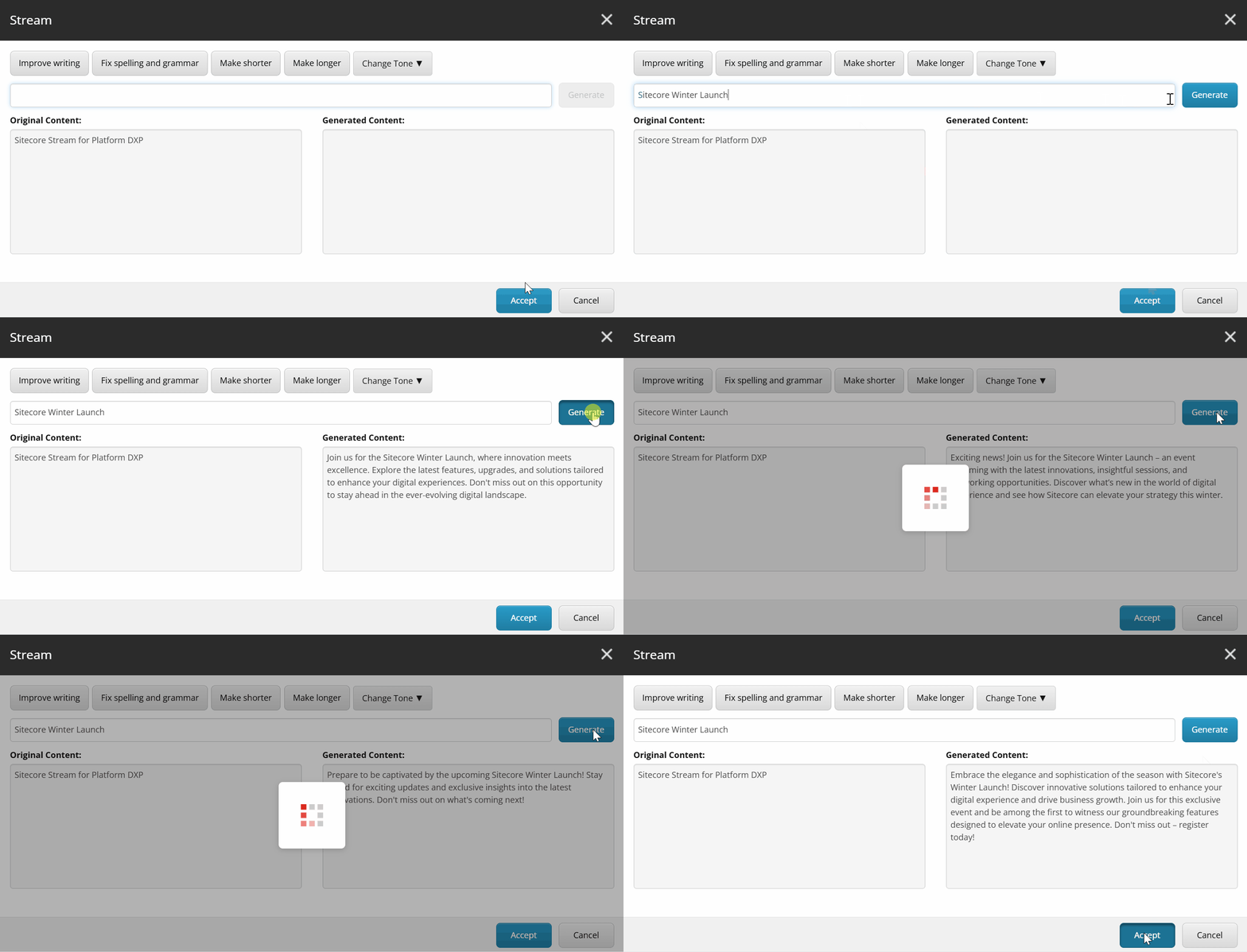
You can use prompts to work with the original content, for example, ask to remove tags, translate, or anything else.
During the Winter Launch 2025, Sitecore has released the Sitecore Stream for Platform DXP. Now you can use the new functionality to enhance your Sitecore experience with AI capabilities.