For the last few days I’ve noticed weird behavior in Sitecore instances which are related to Solr, for example:
- indexes are rebuilding with exceptions;
- sitecore instance is being slow;
- lost connection to Solr;
- not able to restart the Solr service, it’s just take an infinity time to stop.
For all of this things I haven’t pay much attention to start troubleshooting, because I’m working in another area which not related to indexes, the behaviour is quite new for me and just simple reboot has helped.

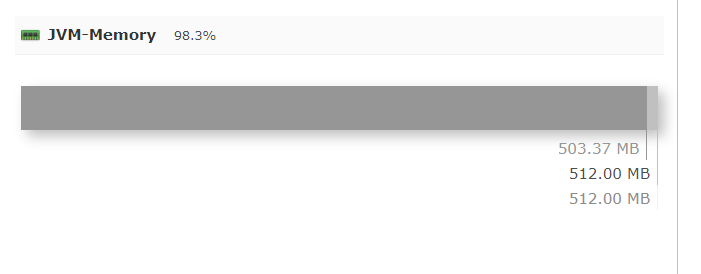
Then, on my needs I had to install the latest nightly Sitecore build and noticed the installation script is failing on Solr configuration step with the error: Caused by: Java heap space. That’s given me an idea it’s definitely an issue on Solr side but not Sitecore. Now I’ve decided that the rest of tasks have to wait until I resolve this issue. I’ve recalled that Solr Dashboard has some metrics and yes, the JVM-Memory was on 98.3% full!
The next I googled how to increase the memory for Solr and as a result it’s simple and fast trick: open the folder with installed Solr and find the solr.cmd file, for me the path is C:\solr-8.4.0\bin\solr.cmd. Then search for
IF "%SOLR_JAVA_MEM%"=="" set SOLR_JAVA_MEM=-Xms512m -Xmx512m
and just simply increase the memory, in my case 2GB should be enough for now:
IF "%SOLR_JAVA_MEM%"=="" set SOLR_JAVA_MEM=-Xms2g -Xmx2g
as a last step the Solr must be restarted:
C:/solr-8.4.0/bin/solr restart

That’s it! After this change I’ve successfully installed a new nightly Sitecore instance and the all the issues related to Solr are gone! 🙂


 Ivan's Blog
The Solr URL, note that the port can be different:
https://localhost:8997/solr
LikeLike
Solr URL, note that the port can be different:
https://localhost:8997/solr
LikeLike