There is a great article The Ultimate Guide to AI-Powered Development with Cursor: From Chaos to Clean Code that describes in detail how to integrate Cursor into your project. The article is pretty long, and after reading it, it would take a lot of time to set up everything exactly for your solution. Fortunately, there’s a way to lay a solid foundation within 5 minutes — because Cursor contextualizes best practices directly to your repository, generating rules that fit your code without manual adaptation.

Who This Is For
- Existing repositories (not greenfield projects)
- Developers who already use Cursor or Copilot
- Teams that want consistent AI behavior without heavy setup
Step 1/3
Open your solution in Cursor and do the next prompt:
Read via browser this article: https://medium.com/@vrknetha/the-ultimate-guide-to-ai-powered-development-with-cursor-from-chaos-to-clean-code-fc679973bbc4 and apply the best practices mentioned to my solution
Result:
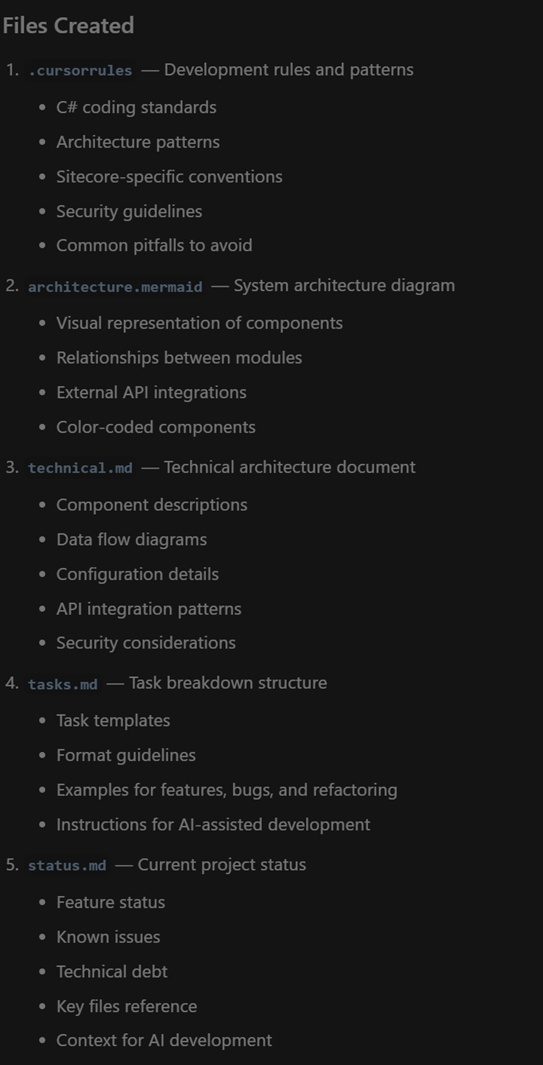
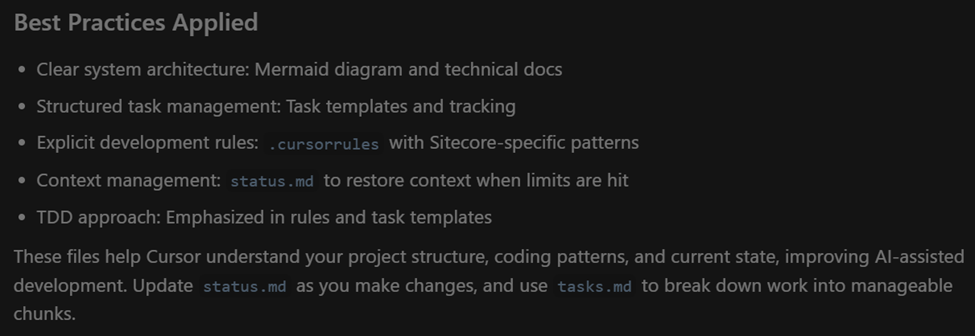
Just after 1 prompt you get personalized Cursor rules exactly for your project.
Cursor doesn’t just copy recommendations from the article. It analyzes your repository structure, technologies, and conventions, then converts the best practices into project-specific rules that match your codebase.
Step 2/3 (Optional)
What if you run your project not only in Cursor, but in Visual Studio 2026 and use Github Copilot sometimes for easier debug or something? Then I recommend to run the following prompt:
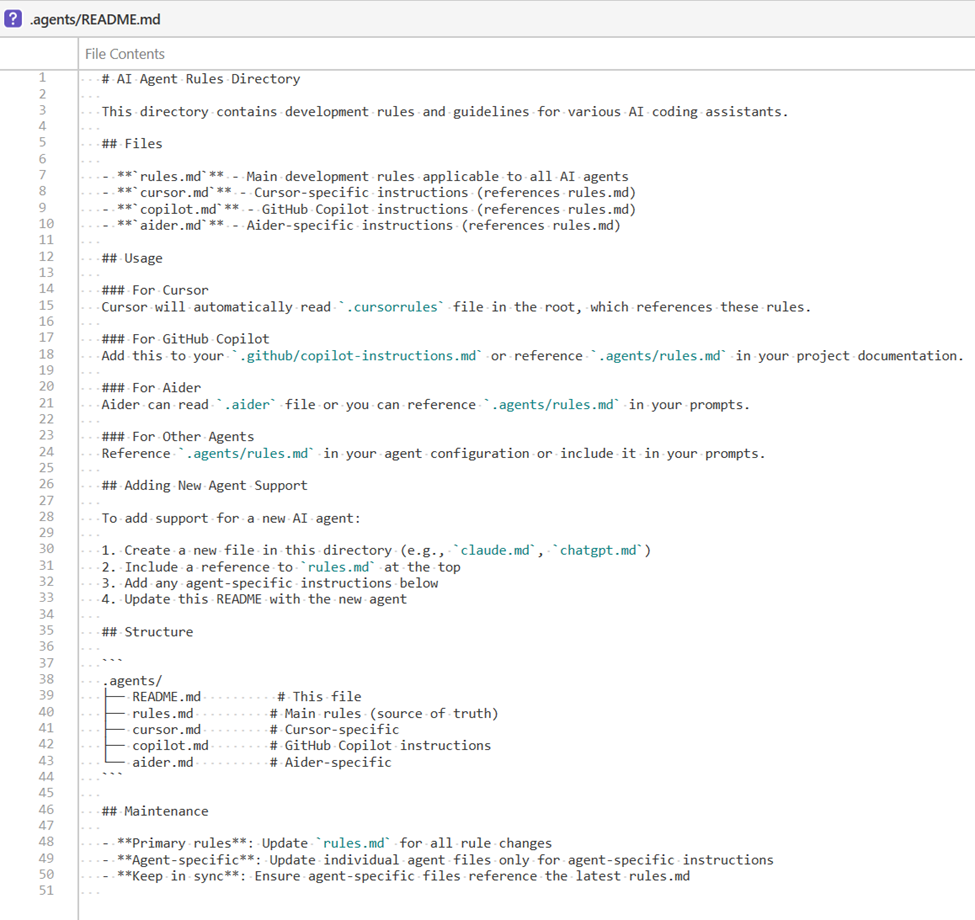
Can you put the Cursor rule files into the agents file so these rules can be applied to another agents, not just Cursor.
Result:


Step 3/3 (Optional)
Review and adjust data if needed.
Finalization
After these steps, your repository becomes the single source of truth for AI behavior. Cursor and GitHub Copilot follow the same conventions, produce more consistent suggestions, and require far less prompt correction.


 Ivan's Blog