Sitecore just released a new version of the Stream module for PDXP. Now, the package is available for download, and it is version 1.2.45.
(to download the latest version, open the Stream app in the Sitecore Cloud, and under the Helpful Links, click the Sitecore Stream for Platform DXP)
The main feature in this release is Site Item Translation. You can use this feature to create or update language versions of site items directly in the Content Editor.
The feature supports the 3 types of fields:
- Single-Line Text.
- Multi-Line Text.
- Rich Text.
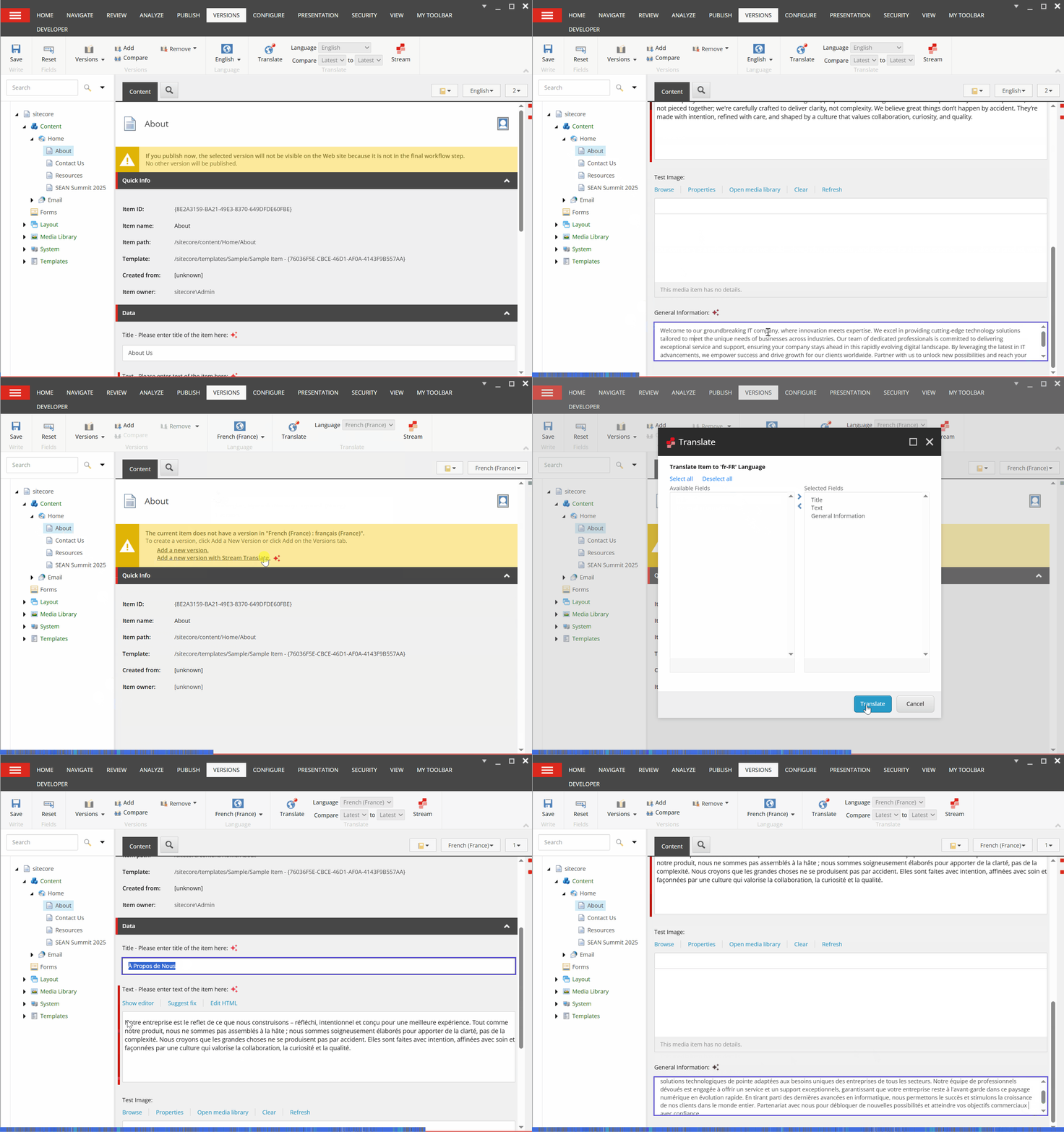
Now, when you navigate to the item that doesn’t have a version in a particular language (e.g., French), you will see the new message – Add a new version with Stream Translate:

In the new dialog, you’ll see a list of the fields that are available for translation. Select all fields or only the necessary ones.
What if you have an item that is partially translated or you would like to retranslate the fields? In this case, open the needed item in the target version and choose which fields need to be translated. When translation is done, you can compare content between different languages.
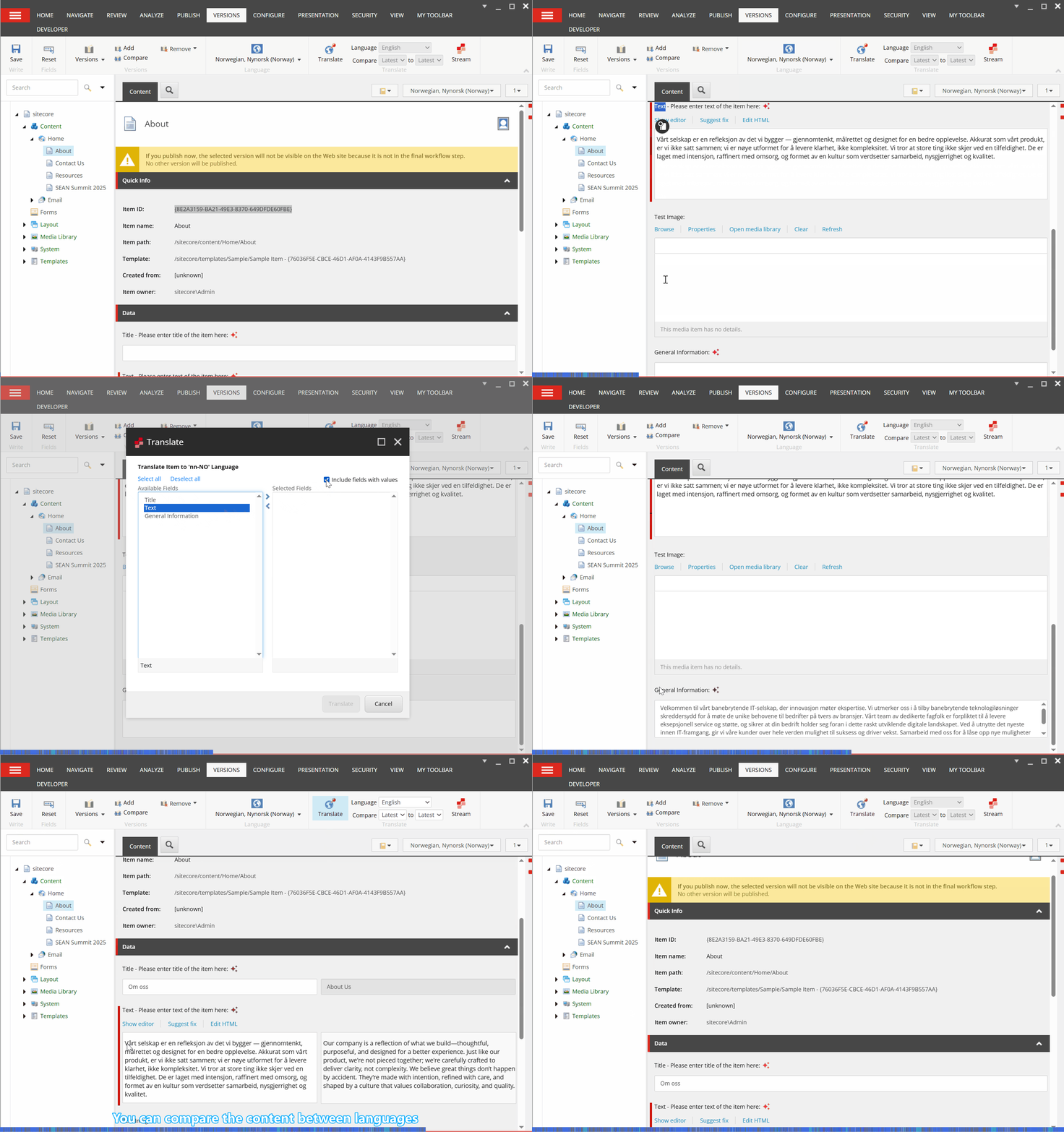
How Stream Translate works – it determines the source language by site language (if you have a multisite solution). If, for some reason, it’s empty, the logic falls back to the Default Language setting under the Sitecore.config. Then you can select only versioned fields that have a source value.
You can find the official documentation here: https://doc.sitecore.com/xp/en/users/104/sitecore-experience-platform/ai-assisted-site-item-translation.html.

 Ivan's Blog