Sitecore has released the new version of Stream for PDXP, v1.5.89.
This is a big release that has a brand new feature – Page Translation that automatically discovers and translates a page item along with any Sitecore items it referenced.
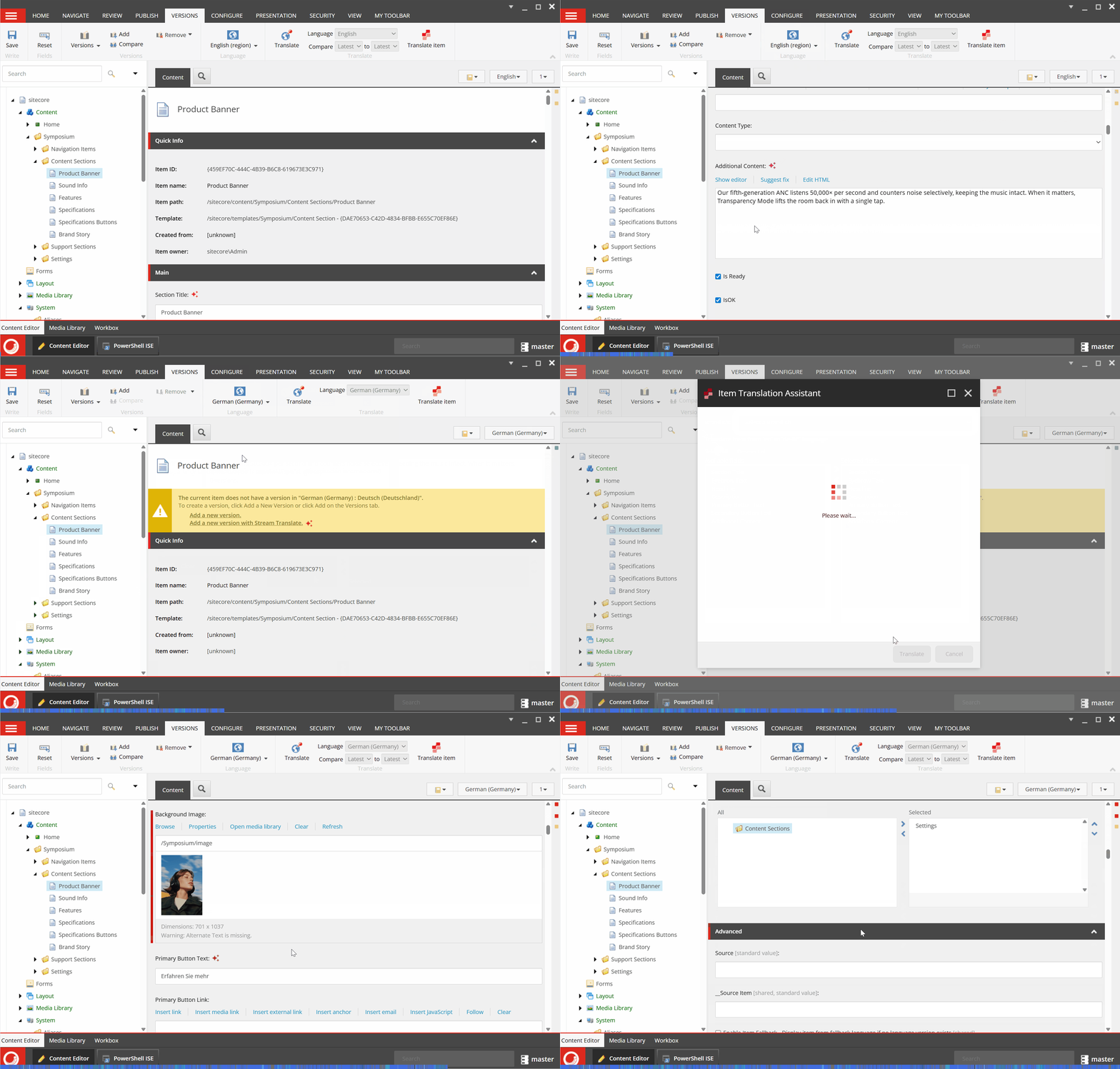
Also, Item translation get enhancements – when item translation occurs, fields that are not supported for translation will carry over their values to the new version of the item alongside the translated content.
Now you can assign specific AI roles to your user, where every role corresponds to a specific feature.

The package is available from the Stream app at the Portal.
Agenda
- Page Translation
- User Access Control (Roles)
- Item Translation improvements
Page Translation
The Page translation is an advanced feature and is considered Premium, where you can open a dedicated page in the Experience Editor or in the Content Editor and translate the page with all the referenced items, such as subsections, menus, and other renderings, etc.
Example: I have a page that built from ~18 different items, now I can translate the whole page in 1 operation instead of using Item Translation 18 times (but item translation is still valuable feature where you can translate just specific fields, hence no need to spend a lot of tokens, it works as “atomic” level).
How it works in Content Editor:
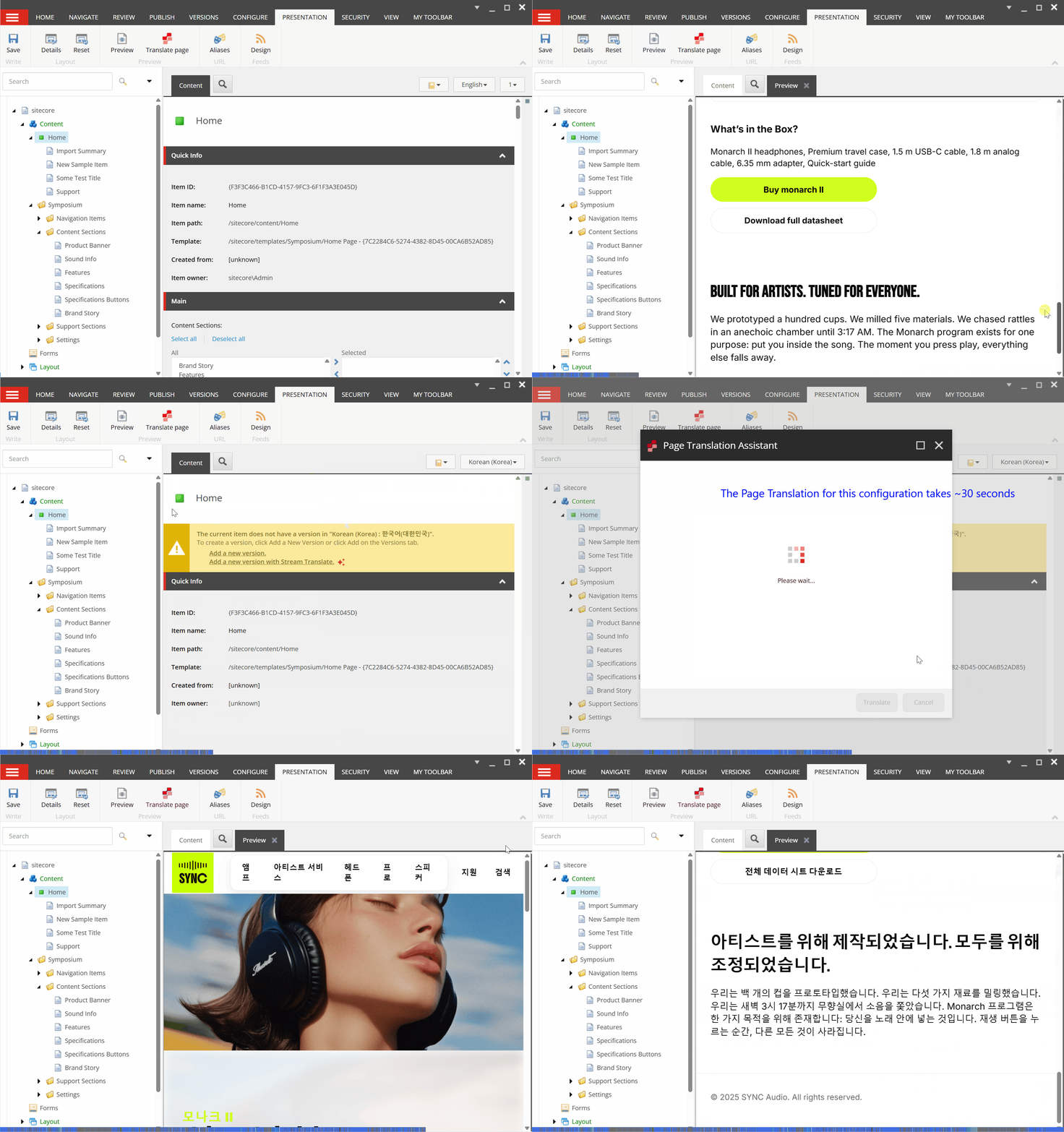
How it works in Experience Editor:
The Page Translation can save a lot of time and is supported to translate the following content sources:
- Direct content field types (Single-Line Text, Multi-Line Text, Rich Text, General Link, Image).
- Selected referenced items from content field value (e.g. Multilists field type).
- Data source items from template fields.
- Data source items from control properties (should work with any kind of renderings assigned in the Layout details).
Non supported content sources are the next:
- Hardcoded text or item references in front-end (eg HTML, JavaScript, ASPX, Razor) or custom rendering layer (eg ASP.NET, Node.js Framework).
- Unsupported content field types (e.g. File, Datetime, Custom, but will be carry-overed to the new version).
- Item reference (data source) depth limit is more than 1 (e.g. Item A -> Item B -> Item C), as transitive references.
- SXA cpecific: Items coming from SXA composing mechanism like Page Designs, Partial Design, Rendering Variants and in general item that should be translated but are in the Presentation Tree of SXA; navigation items (pages) which are set by Navigation section parameters.
User Access Control (Roles)
There have been added five new roles in Sitecore through the Role Manager. Each of these roles corresponds to a specific feature of Stream AI. The goal is to provide more granular access control and ensure that users only have permissions relevant to their responsibilities.
List of the roles:
- Sitecore AiClient Field Content Assistant
- Sitecore AiClient Item Create Content Extraction
- Sitecore AiClient Item Extract Media Metadata
- Sitecore AiClient Item Translation Assistant
- Sitecore AiClient Page Translation Assistant
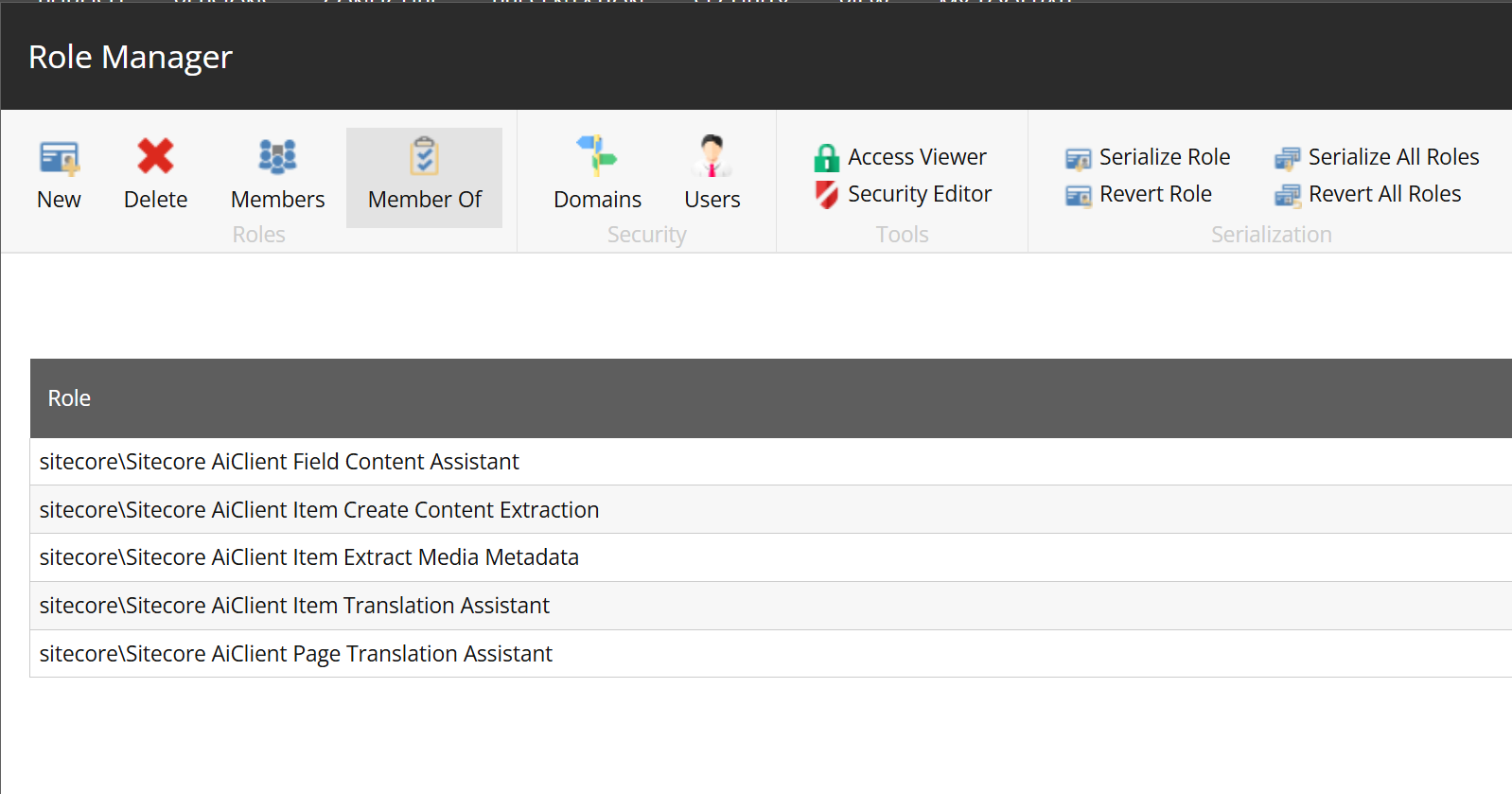
By assigning these roles, we can better manage feature-level access, improve security, and streamline the user experience. Each role is mapped to dedicated functionality – so for example, is someone needs to work only with the metadata media extraction, we can now assign the corresponding role instead of giving broad system access.
Item Translation improvements
Before this update Item Translation feature translated only supported field types, every other field types like Date or General Link, Multilist, etc., couldn’t be translated and in the target such fields were just empty, this update carry-over the not supported values from the source to the target item. This behavior is aligned with Page Translation.
Conclusion
This update introduces major features and fixes minor issues for improved stability and performance, making it essential to update.
Official documentation:

 Ivan's Blog