The new version of the Stream for PDXP has two exciting new features:
- Brand Kits – user can generate content in context of a selected Brand.
- Multiple Content Variants – users can select the number of variants to be generated in one request.
Festina Lente
The new version of the Stream for PDXP has two exciting new features:
Last month Sitecore released the Sitecore Stream for PDXP, and today the new update is available and it’s highly recommended for update because it simplifies installation and brings various bug fixes and UX improvements. Follow the official documentation to learn more.
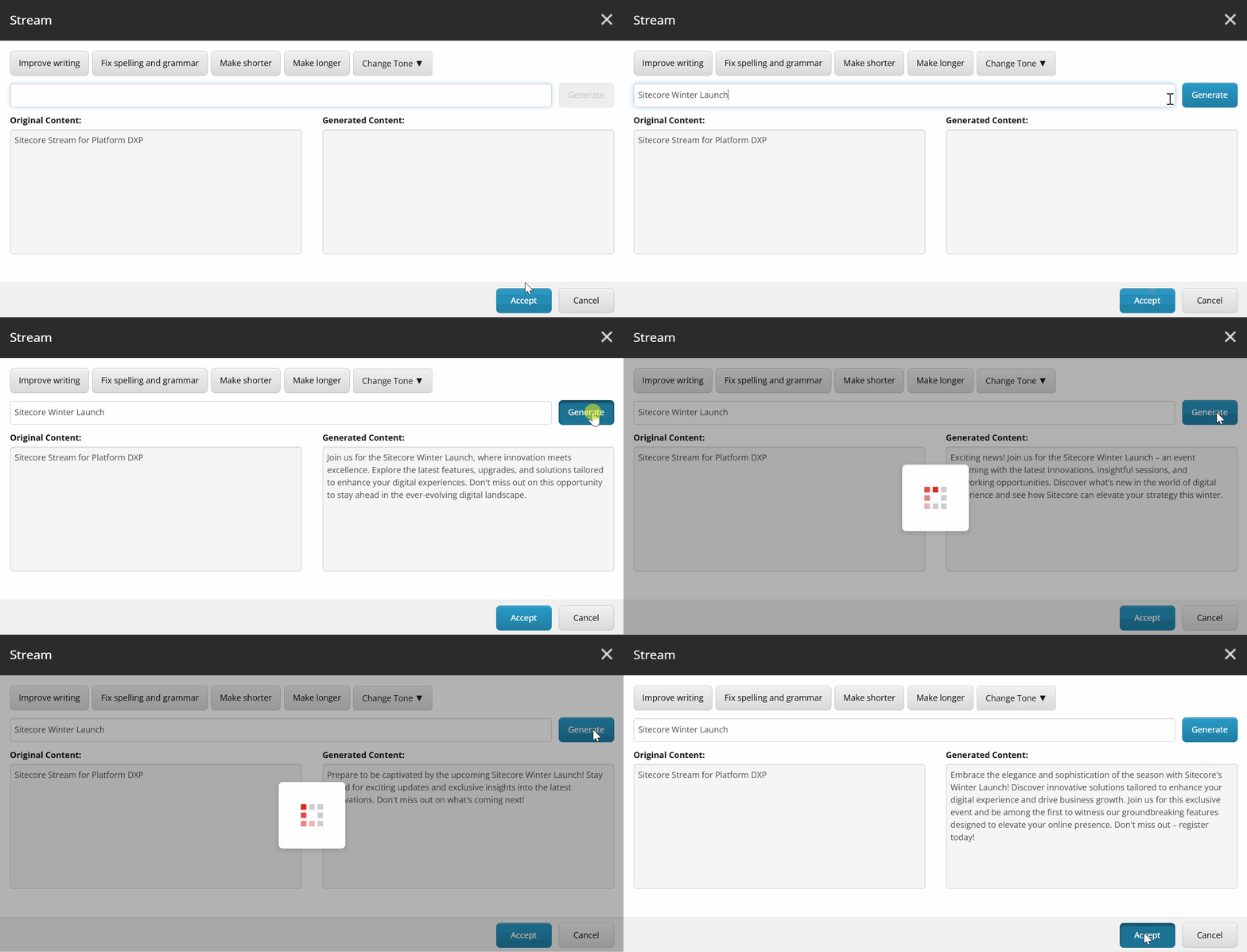
You can use prompts to work with the original content, for example, ask to remove tags, translate, or anything else.

During the Winter Launch 2025, Sitecore has released the Sitecore Stream for Platform DXP. Now you can use the new functionality to enhance your Sitecore experience with AI capabilities.
Last year, I wrote the Sitecore XM to XM Cloud Content Migration article about the brand-new tool from Sitecore that helps to migrate content, media and users to XM Cloud. Now, I would like to share what is new in the just-released XM to XM Cloud Tool v2.1.
Sitecore has lots of customers who developed their solution based on classic Sitecore OnPrem which exists in the market for 2 decades. Also, Sitecore released the XM Cloud, a fully SaaS solution in July 2022.
Lots of customers continue to use the OnPrem solutions, new customers prefer to use the SaaS version and of course, some would like to switch to it, but it requires lots of effort. Sitecore just released to the public a brand-new XM to XM Cloud Content Migration tool that assists in minimizing the account’s barriers to migrating to Composable DXP.
It helps migrate customers’ data from the source of the XM OnPrem instance to the XM Cloud account. It migrates the content, media, and internal users (but not custom site data at this moment).
Continue reading “Sitecore XM to XM Cloud Content Migration”The Sitecore Order Cloud is a rich and mature e-commerce engine.
It has a few must-know security related definitions:


There are 2 types of system requirements:
The Locust is an alternate tool to the JMeter. Locust allow you to write load tests in python, this tutorial describes how from scratch make a simple load testing and see results. Let’s do the following steps:

Please pay attention to the output url: http://0.0.0.0:8089, please adjust the address to the next: http://localhost:8089, (as the IP-format may not work) and paste to the browser, you should see the next:
Continue reading “Locust as a modern load testing framework”1. Copy a file from the App_Data/logs/ path of the default/cm-5c57dbd5d5-pqwh9 pod into the local C:/myf/log.txt file:
kubectl cp default/cm-5c57dbd5d5-pqwh9:App_Data/logs/log.20201215.092051.txt /myf/log.txt
2. Copy the Sitecore.ContentTesting.dll file from the local machine into the pod with path bin/Sitecore.ContentTesting.dll
kubectl cp C:\Work\Solutions\CT\code\Sitecore.ContentTesting\bin\Debug\Sitecore.ContentTesting.dll default/cm-5c57dbd5d5-pqwh9:.\bin\Sitecore.ContentTesting.dll
3. Copy all the files from the App_Data/logs/ path into the local C:/myf/:
kubectl cp default/cm-5c57dbd5d5-pqwh9:App_Data/logs/ /myf/
Note for the #3: please check that all the files are copied, in my case some of them were missed somehow, if you know why it may happens please let me know, thank you in advance!
Let’s say we have a simple smart contract MemoryToken, it can be even a stub which has only 1 field name.
pragma solidity ^0.5.0;

contract MemoryToken {
    string public name = "Memory token";
}


